Book DemoStart Free Trial

WhatsApp Business API Automation

Automate WhatsApp marketing messaging with Voodlee

Automate WhatsApp messages to engage customers, follow up with leads, and deliver timely business updates. Voodlee helps businesses streamline WhatsApp communication using API-based messaging and configurable automation workflows.
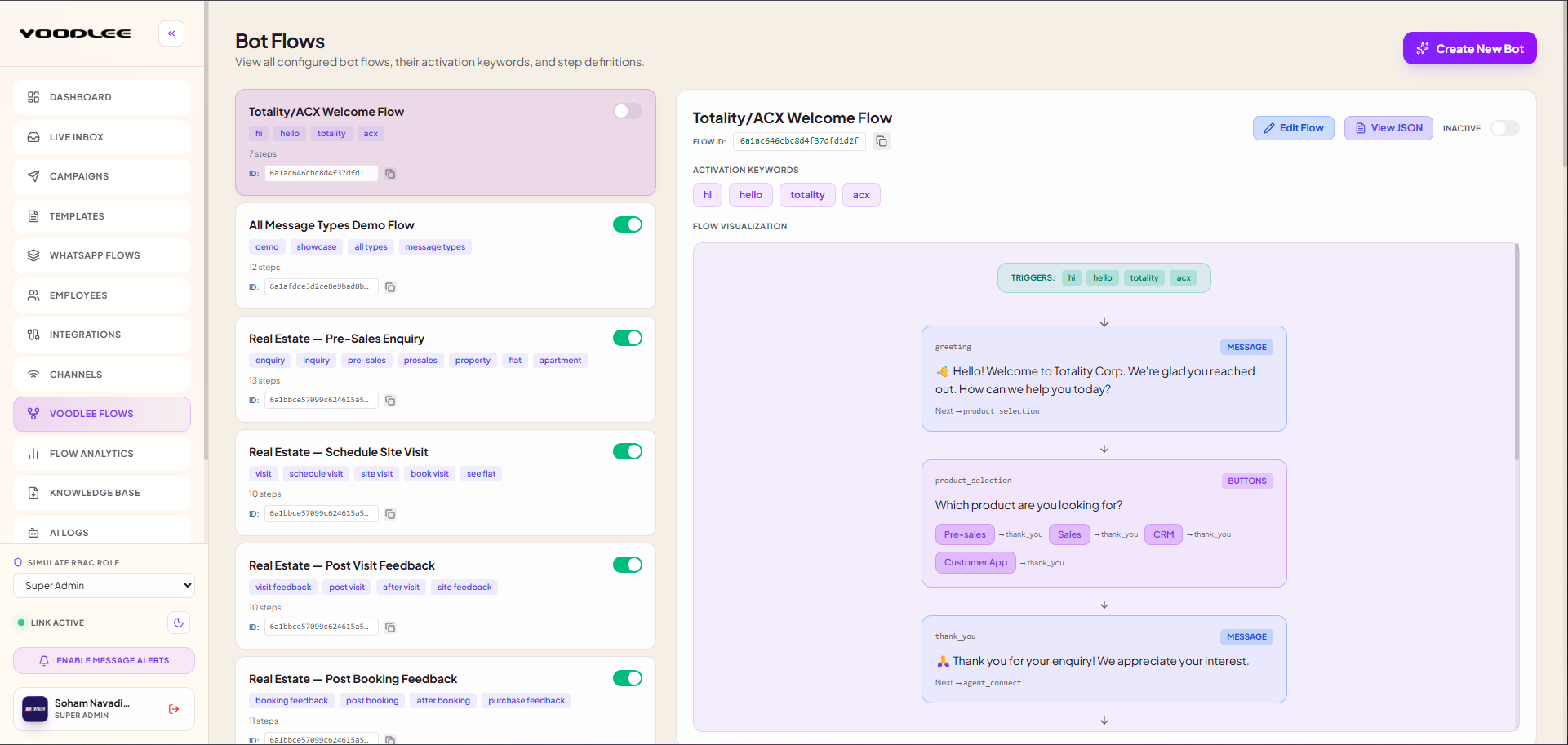
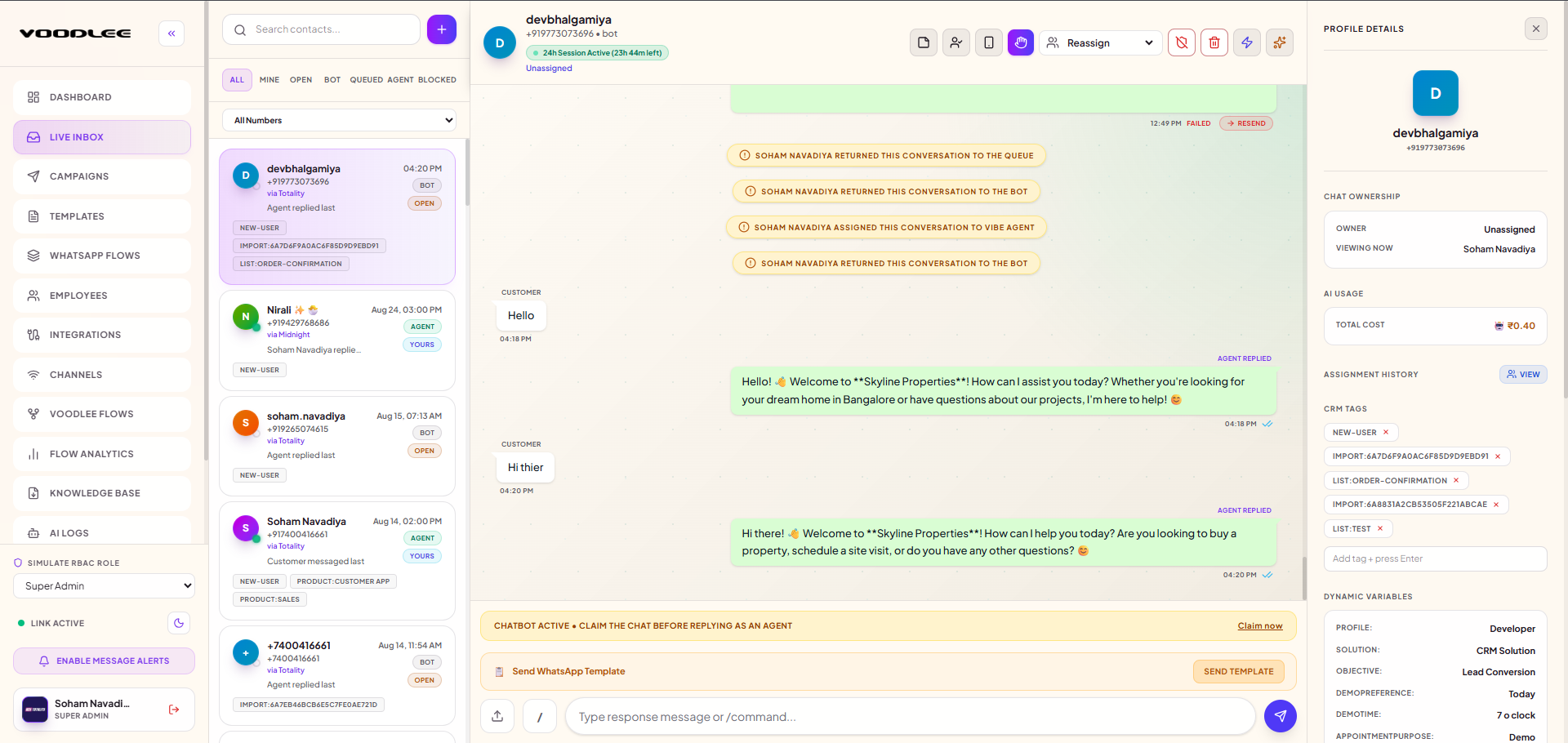
Voodlee Workflow Automation • WhatsApp Business API
Screenshot of an automated WhatsApp messaging workflow
Overview

What is WhatsApp Business API automation?

WhatsApp Business API automation uses software, triggers, and messaging workflows to send business messages automatically through a supported WhatsApp Business API connection.

Businesses can use it to send order updates, appointment reminders, lead follow-ups, and marketing messages without manually handling every interaction. Automated messaging helps teams save time, maintain consistent communication, and respond to customer actions more efficiently.

Automation Capabilities

What can you automate with WhatsApp?

Marketing campaigns

Send promotional messages and relevant offers to opted-in audiences using approved templates where required.

Lead follow-ups

Trigger timely messages when new enquiries enter a connected system or meet configured workflow conditions.

Customer notifications

Send order confirmations, appointment reminders, and service updates through supported integrations.

Customer engagement

Create follow-up journeys that encourage customers to respond, explore offers, or take the next step.

Step-by-Step Architecture

How does WhatsApp Business API automation work?

1

Connect your business

Set up your supported WhatsApp Business API connection.

2

Define a trigger

Choose an event, such as a new lead, customer enquiry, or order update.

3

Configure the workflow

Set message content, timing, conditions, and relevant customer details.

4

Send and monitor

Deliver messages through the configured integration and review available messaging results.

Workflow Architecture
TriggerCRM Event • New Lead • Webhook
Workflow EngineTiming Rules • Customer Data
WhatsApp MessageApproved Templates • Personalized
Results & AnalyticsDelivery • Read Rate • Replies
Core Advantages

Key benefits of automating WhatsApp messages

Save time

Reduce repetitive manual messaging and routine follow-ups.

Improve response speed

Send relevant messages when configured events occur.

Personalize communication

Use available customer attributes to tailor message content.

Support lead management

Keep prospects informed throughout configured follow-up journeys.

Maintain consistency

Use approved templates and standardized messaging workflows.

Measure performance

Review available delivery, engagement, and campaign metrics to improve future communication.

Industry Applications

WhatsApp automation use cases

Automated WhatsApp workflows support varied customer journeys across businesses.

Automate order confirmations, shipping updates, and promotional messages.

Real estate

Explore solution

Follow up on property enquiries, share project information, and arrange site-visit requests.

Send enquiry follow-ups, admission updates, and event reminders.

Service businesses

Explore solution

Automate appointment confirmations, reminders, and customer feedback requests.

WhatsApp business messaging examples across industries
Multi-industry WhatsApp Business API messaging workflows in action
Platform Comparison

WhatsApp Business API vs. manual messaging

Manual WhatsApp messagingWhatsApp Business API automation
Requires staff to send individual messagesSupports configured automated messaging workflows
Follow-ups depend on manual actionFollow-ups can be triggered by configured events
Personalization takes additional effortCustomer attributes can populate supported templates
Limited workflow visibilityIntegrations and available reporting can improve visibility
FAQ

Frequently asked questions

It is the use of API-connected software and configured workflows to automate business messaging, notifications, and customer follow-ups through WhatsApp.

Connect a supported WhatsApp Business API platform, configure your triggers and workflows, prepare the required message templates, and test the automation before launch.

Yes. Businesses can automate promotional campaigns and follow-ups for eligible, opted-in audiences using the appropriate approved message templates and applicable messaging rules.

Yes, when a CRM is connected through a supported integration or API. Events such as new leads or updated records can trigger configured messaging workflows.

Yes. Small businesses can automate routine customer notifications and follow-ups, helping teams manage communication more efficiently as their customer base grows.

Get Started

Streamline your WhatsApp messaging with Voodlee

Spend less time on repetitive messaging and more time building customer relationships. Explore Voodlee’s WhatsApp Business API automation capabilities for your business communication workflows.